
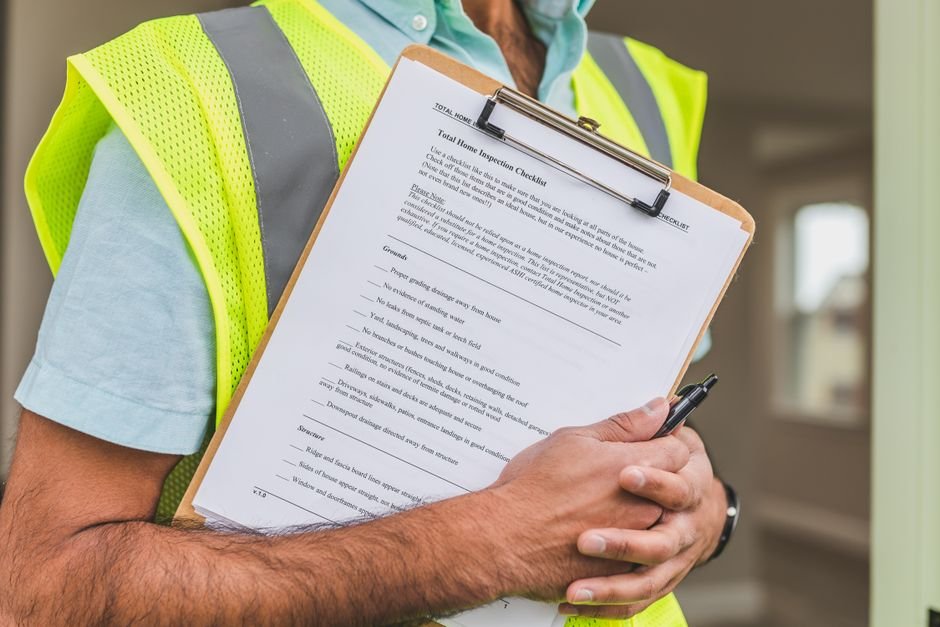
A well-maintained WordPress site is crucial for any business or individual looking to establish a strong online presence. A blog or website that is secure and fast can help improve user experience, increase search engine rankings, and drive more conversions. However, maintaining a WordPress site can be a daunting task, especially for those who are not tech-savvy. This is where a WordPress maintenance checklist comes in handy. In this article, we will provide you with a comprehensive WordPress maintenance checklist to help you keep your site secure and fast.
Understanding the Importance of WordPress Maintenance
Regular maintenance is essential to ensure that your WordPress site continues to run smoothly and efficiently. Neglecting maintenance can lead to a range of problems, including security vulnerabilities, slow loading speeds, and broken links. By prioritizing maintenance, you can help prevent these issues and ensure that your site remains secure and fast. For example, you can check out our 10 Signs Your Business Website Needs a Redesign article to learn more about the importance of maintaining a website.
Common Maintenance Tasks
Some common maintenance tasks include updating plugins and themes, backing up files and databases, and monitoring site performance. These tasks can help prevent security breaches, reduce downtime, and improve user experience. By incorporating these tasks into your WordPress maintenance checklist, you can help ensure that your site remains secure and fast.
Updating Plugins and Themes
Outdated plugins and themes can leave your site vulnerable to security breaches and other issues. Regularly updating these components can help prevent problems and ensure that your site remains secure. You can check out our Best WordPress Themes for Small Business Websites in 2026 article to learn more about choosing the right theme for your site. When updating plugins and themes, make sure to backup your site first and test the updates in a staging environment to prevent any issues.
Best Practices for Updating
When updating plugins and themes, it’s essential to follow best practices to minimize the risk of issues. This includes testing updates in a staging environment, backing up your site, and monitoring site performance after updates. By following these best practices, you can help ensure that your site remains secure and fast.
Backing Up Files and Databases
Regular backups are essential to ensure that your site can be restored in case of a disaster or other issue. You can use plugins like UpdraftPlus or Duplicator to backup your files and databases. Make sure to store your backups in a secure location, such as a cloud storage service, and test your backups regularly to ensure that they are working correctly. For more information on website security, you can visit our Website SEO page.
Backup Frequency
The frequency of backups depends on how often you update your site. If you update your site daily, you may want to backup your site daily as well. However, if you only update your site weekly, you may only need to backup your site weekly. By backing up your site regularly, you can help ensure that your site remains secure and fast.
Monitoring Site Performance
Monitoring site performance is essential to identify any issues that may be affecting your site’s speed and security. You can use tools like Google Analytics or Pingdom to monitor your site’s performance and identify areas for improvement. For example, you can use our Digital Marketing services to help improve your site’s performance and drive more traffic to your site.
Common Performance Issues
Some common performance issues include slow loading speeds, broken links, and poor mobile responsiveness. By identifying and addressing these issues, you can help improve your site’s performance and user experience. Make sure to test your site regularly to identify any performance issues and address them promptly.
Securing Your Site
Securing your site is essential to prevent security breaches and other issues. You can use plugins like Wordfence or MalCare to secure your site and protect against malware and other threats. Make sure to keep your plugins and themes up to date, use strong passwords, and limit login attempts to prevent brute-force attacks. For more information on website security, you can visit our Get a Free Quote page to learn more about our website security services.
Common Security Threats
Some common security threats include malware, phishing attacks, and brute-force attacks. By understanding these threats and taking steps to prevent them, you can help secure your site and protect against security breaches. Make sure to stay up to date with the latest security threats and best practices to ensure that your site remains secure.
Optimizing Images and Media
Optimizing images and media can help improve your site’s loading speed and user experience. You can use plugins like TinyPNG or ShortPixel to compress images and reduce file sizes. Make sure to optimize all images and media on your site, including logos, icons, and other graphics. For more information on website optimization, you can check out our Responsive Web Design: Why Mobile-Friendly Websites Matter in 2026 article.
Best Practices for Optimization
When optimizing images and media, it’s essential to follow best practices to minimize the risk of issues. This includes using the correct file format, compressing images, and using lazy loading to reduce the number of requests to your site. By following these best practices, you can help improve your site’s loading speed and user experience.
Frequently Asked Questions
Here are some frequently asked questions about WordPress maintenance:
- Q: How often should I update my plugins and themes?
A: You should update your plugins and themes regularly, ideally every 1-2 weeks, to ensure that you have the latest security patches and features. - Q: What is the best way to backup my site?
A: The best way to backup your site is to use a plugin like UpdraftPlus or Duplicator, and store your backups in a secure location, such as a cloud storage service. - Q: How can I improve my site’s loading speed?
A: You can improve your site’s loading speed by optimizing images and media, using a caching plugin, and minimizing the number of requests to your site. - Q: What is the best way to secure my site?
A: The best way to secure your site is to use a plugin like Wordfence or MalCare, keep your plugins and themes up to date, use strong passwords, and limit login attempts to prevent brute-force attacks. - Q: How often should I monitor my site’s performance?
A: You should monitor your site’s performance regularly, ideally every 1-2 weeks, to identify any issues that may be affecting your site’s speed and security.
Conclusion and Next Steps
In conclusion, maintaining a WordPress site requires regular effort and attention to ensure that it remains secure and fast. By following the steps outlined in this WordPress maintenance checklist, you can help prevent issues and improve your site’s performance. If you need help with WordPress maintenance or website optimization, you can visit our Graphic Designing page to learn more about our services. Remember to always prioritize maintenance and stay up to date with the latest best practices to ensure that your site remains secure and fast.



5 thoughts on “Website Maintenance Checklist: How to Keep Your WordPress Site Secure and Fast”