
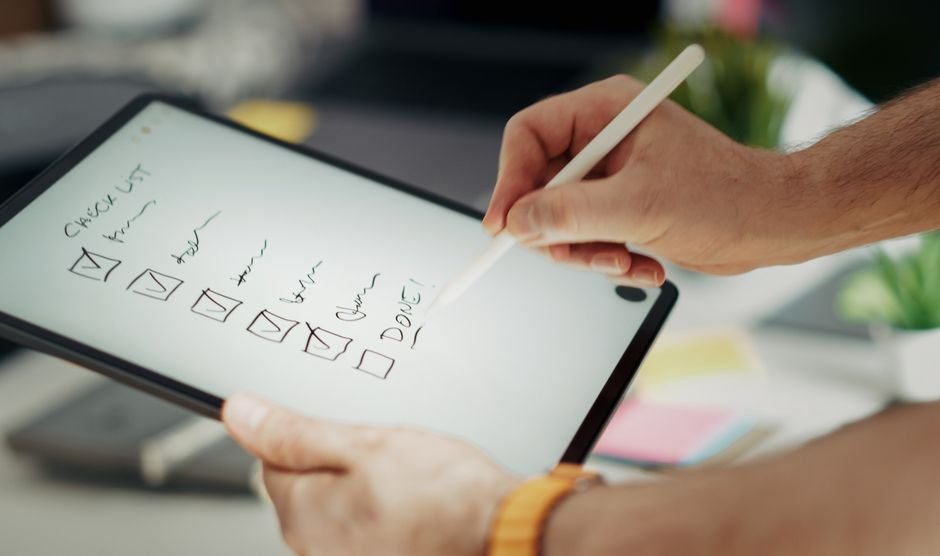
Launching an online store can be a daunting task, especially for those who are new to e-commerce. With so many options available, it can be difficult to know where to start. However, with a step-by-step checklist, you can ensure that your online store is set up for success. In this article, we will provide you with a comprehensive guide on how to launch an online store, including the essential steps and considerations to keep in mind. Whether you’re looking to start a small business or expand your existing one, this checklist will help you navigate the process of creating a successful e-commerce website.
To get started, it’s essential to have a clear understanding of your business goals and target audience. This will help you determine the best platform for your online store, as well as the features and functionality you need to include. You can learn more about the different e-commerce platforms available, such as WooCommerce vs Shopify, and how to choose the right one for your business.
Step 1: Define Your Business and Target Audience
Defining your business and target audience is the first step in launching an online store. This involves identifying your niche, researching your competition, and determining your unique selling proposition (USP). Your USP is what sets your business apart from others and will help you attract and retain customers. It’s also essential to have a clear understanding of your target audience, including their demographics, interests, and buying habits.
Conducting Market Research
Conducting market research is crucial in understanding your target audience and identifying gaps in the market. This can be done through surveys, focus groups, and online research. You can also use tools such as Google Trends and Keyword Planner to identify popular search terms and trends in your niche. By understanding your target audience and the market, you can create a successful online store that meets their needs and exceeds their expectations.
For example, if you’re looking to start an online clothing store, you may want to research the latest fashion trends and identify gaps in the market. You can also use social media to engage with your target audience and gather feedback on your products and services. By doing so, you can create a loyal customer base and drive sales for your online store.
Step 2: Choose an E-commerce Platform
Choosing an e-commerce platform is a critical step in launching an online store. There are many options available, including Shopify, WooCommerce, and BigCommerce. Each platform has its own strengths and weaknesses, and the right one for your business will depend on your specific needs and requirements. You can learn more about the different e-commerce platforms available and how to choose the right one for your business by reading our article on WooCommerce vs Shopify.
Customization and Scalability
When choosing an e-commerce platform, it’s essential to consider customization and scalability. You want a platform that allows you to customize your online store to meet your brand’s unique needs and requirements. You also want a platform that can scale with your business as it grows. This includes having the ability to handle increased traffic and sales, as well as integrating with third-party apps and services.
For example, if you’re looking to start a small online store, you may want to consider using Shopify. Shopify is a user-friendly platform that allows you to customize your online store and scale your business as it grows. You can also integrate Shopify with third-party apps and services, such as payment gateways and shipping providers.
Step 3: Register Your Business and Obtain Necessary Licenses
Registering your business and obtaining necessary licenses is an essential step in launching an online store. This includes registering your business name, obtaining a business license, and registering for taxes. You may also need to obtain additional licenses and permits, depending on the type of products you’re selling and the location of your business.
Obtaining an EIN and Business Bank Account
Obtaining an EIN (Employer Identification Number) and business bank account is also essential for your online store. An EIN is a unique number assigned to your business by the IRS, and it’s used to identify your business for tax purposes. A business bank account is also necessary for managing your business’s finances and keeping your personal and business finances separate.
For example, if you’re looking to start an online store, you may want to consider obtaining an EIN and business bank account through a service like Get a Free Quote. This can help you get started with your business and ensure that you’re in compliance with all necessary laws and regulations.
Step 4: Set Up Your Online Store’s Design and Layout
Setting up your online store’s design and layout is a critical step in launching a successful e-commerce website. This includes choosing a theme, customizing your website’s design, and setting up your website’s layout. You want a design that is visually appealing, easy to navigate, and optimized for conversions.
Creating a User-Friendly Interface
Creating a user-friendly interface is essential for your online store. This includes having a clear and concise navigation menu, easy-to-use search function, and prominent calls-to-action. You also want to ensure that your website is optimized for mobile devices, as more and more consumers are shopping online using their smartphones and tablets.
For example, if you’re looking to create a user-friendly interface for your online store, you may want to consider using a theme that is optimized for mobile devices. You can also use tools such as Graphic Designing to create a visually appealing design that meets your brand’s unique needs and requirements.
Step 5: Add Products and Set Up Payment and Shipping Options
Adding products and setting up payment and shipping options is an essential step in launching an online store. This includes adding product descriptions, prices, and images, as well as setting up payment gateways and shipping providers. You want to ensure that your customers have a seamless and secure checkout experience, and that you’re able to fulfill orders efficiently and effectively.
Integrating with Third-Party Apps and Services
Integrating with third-party apps and services is also essential for your online store. This includes integrating with payment gateways, shipping providers, and social media platforms. You can also use tools such as Digital Marketing to promote your online store and drive sales.
For example, if you’re looking to integrate your online store with social media platforms, you may want to consider using a tool like Hootsuite or Buffer. These tools allow you to schedule posts, track engagement, and analyze your social media performance.
Step 6: Optimize Your Online Store for Search Engines
Optimizing your online store for search engines is a critical step in launching a successful e-commerce website. This includes optimizing your website’s content, meta tags, and images, as well as building high-quality backlinks. You want to ensure that your website is visible in search engine results pages (SERPs) and that you’re driving organic traffic to your website.
Using Keywords and Meta Tags
Using keywords and meta tags is essential for optimizing your online store for search engines. You want to use relevant and targeted keywords in your website’s content, meta tags, and images, as well as build high-quality backlinks from authoritative sources. You can also use tools such as Website SEO to optimize your website’s content and structure.
For example, if you’re looking to optimize your online store for search engines, you may want to consider using a tool like Google Keyword Planner. This tool allows you to research and identify relevant keywords, as well as analyze your competitors’ keyword strategies.
Frequently Asked Questions
Launching an online store can be a complex and overwhelming process, and it’s natural to have questions and concerns. Here are some frequently asked questions about launching an online store, along with detailed answers and explanations.
- Q: What is the best e-commerce platform for my online store?
A: The best e-commerce platform for your online store will depend on your specific needs and requirements. You can learn more about the different e-commerce platforms available and how to choose the right one for your business by reading our article on WooCommerce vs Shopify. - Q: How do I optimize my online store for search engines?
A: Optimizing your online store for search engines involves optimizing your website’s content, meta tags, and images, as well as building high-quality backlinks. You can learn more about how to optimize your online store for search engines by reading our article on Website SEO. - Q: What is the importance of having a secure payment gateway?
A: Having a secure payment gateway is essential for your online store, as it protects your customers’ sensitive information and prevents fraud. You can learn more about the importance of having a secure payment gateway by reading our article on Digital Marketing. - Q: How do I create a user-friendly interface for my online store?
A: Creating a user-friendly interface for your online store involves having a clear and concise navigation menu, easy-to-use search function, and prominent calls-to-action. You can learn more about how to create a user-friendly interface for your online store by reading our article on Graphic Designing. - Q: What is the importance of having a business plan for my online store?
A: Having a business plan for your online store is essential, as it outlines your business goals, target audience, and marketing strategy. You can learn more about the importance of having a business plan for your online store by reading our article on How to Choose the Right Web Development Company for Your Small Business.
Conclusion
Launching an online store can be a complex and overwhelming process, but with the right guidance and support, you can create a successful e-commerce website that meets your business goals and exceeds your customers’ expectations. By following the steps outlined in this article, you can ensure that your online store is set up for success and that you’re driving sales and revenue. Remember to stay up-to-date with the latest trends and best practices in e-commerce, and to continually evaluate and improve your online store to meet the changing needs of your customers. You can also visit our Blog to learn more about e-commerce and web development.
Additionally, if you’re looking for more information on how to launch an online store, you can check out our article on WordPress vs Shopify: Which Platform Is Best for Small Business E-commerce?. This article provides a detailed comparison of the two platforms and helps you decide which one is best for your business.




1 thought on “How to Launch an Online Store: A Step-by-Step E-commerce Website Checklist”